Creating Warehouses and Locations in Odoo
To create Warehouses and Locations in Odoo, we need to work in the Inventory app.
In Odoo you can work with a warehouse with a single location or with a warehouse with several locations.
Let us say that locations are the divisions of the warehouse.
By default, the Inventory app is configured to work with a single Location and automatically creates a Warehouse with its related location.
If we want to enable the option to manage several locations, we must follow the path: Inventory --> Configuration --> Settings --> Storage Locations.
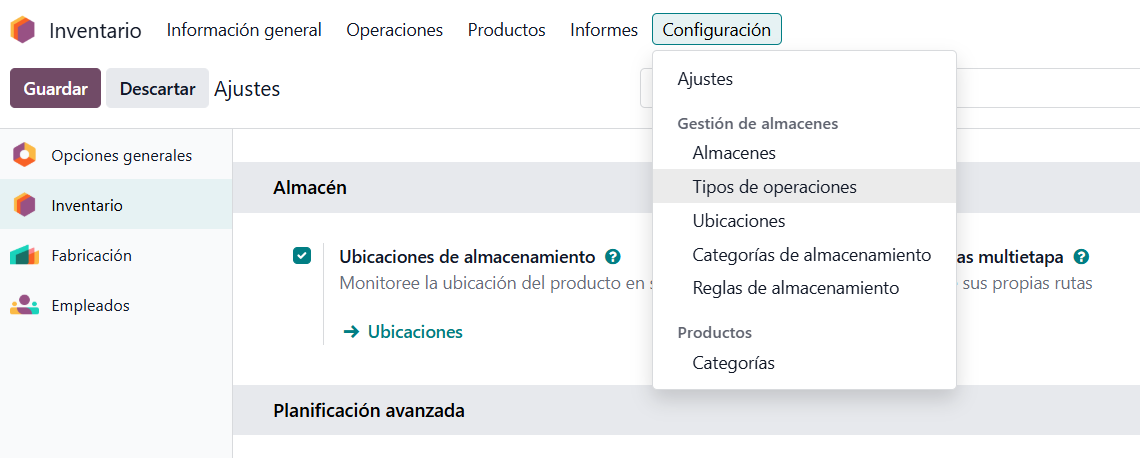
Warehouses and Locations are managed from:
- Inventory --> Configuration --> Warehouse Management --> Warehouses.
- Inventory --> Configuration --> Warehouse Management --> Locations.
As mentioned above, the first warehouse is created automatically and we can edit its Name, Short Name and Address.

If we want to create a new Warehouse: Inventory --> Configuration --> Warehouse Management --> Warehouses --> New and Odoo will also create its related Location.
There are several types of locations, but in this post we will focus only on internal ones, which are the ones that actually hold real stock.
Odoo creates the default Location linked to the Warehouse with the name WH/Stock. WH is the Short Name of the related warehouse created by default.
WH will be a Virtual location and Stock an Internal location.
If we want to create a new Location: Inventory --> Configuration --> Warehouse Management --> Locations --> New.
We must give it a Location Name and a Parent Location. In principle, to build a logical location structure, the parent location should be the main Internal Location linked to the Warehouse.
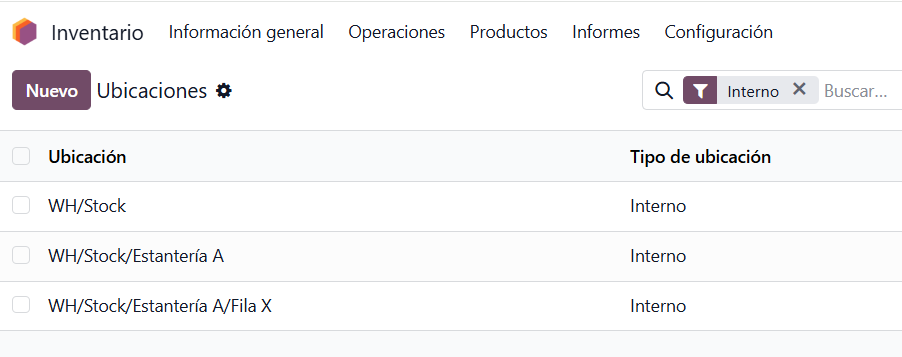
In other words, the location we create should be a child of WH/Stock.
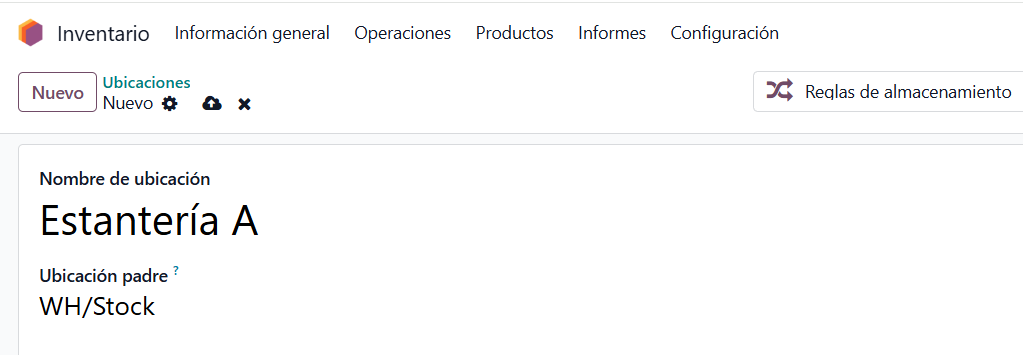
This way we will create our whole location tree, which we will then link to our Products and Operation Types, so that our inventory operations work correctly and as expected in Odoo.
Keep learning about Odoo
Want to implement Odoo Inventory in your company? At Anubía we help you configure it according to your processes. Contact us.