Configuring Three-Step Manufacturing in Odoo
Odoo's Inventory and Manufacturing apps are related and integrated.
We are going to configure our manufacturing logistics flow, which is done from the Inventory app, following the path: Inventory --> Configuration --> Warehouses --> Select one and configure the Manufacture block.
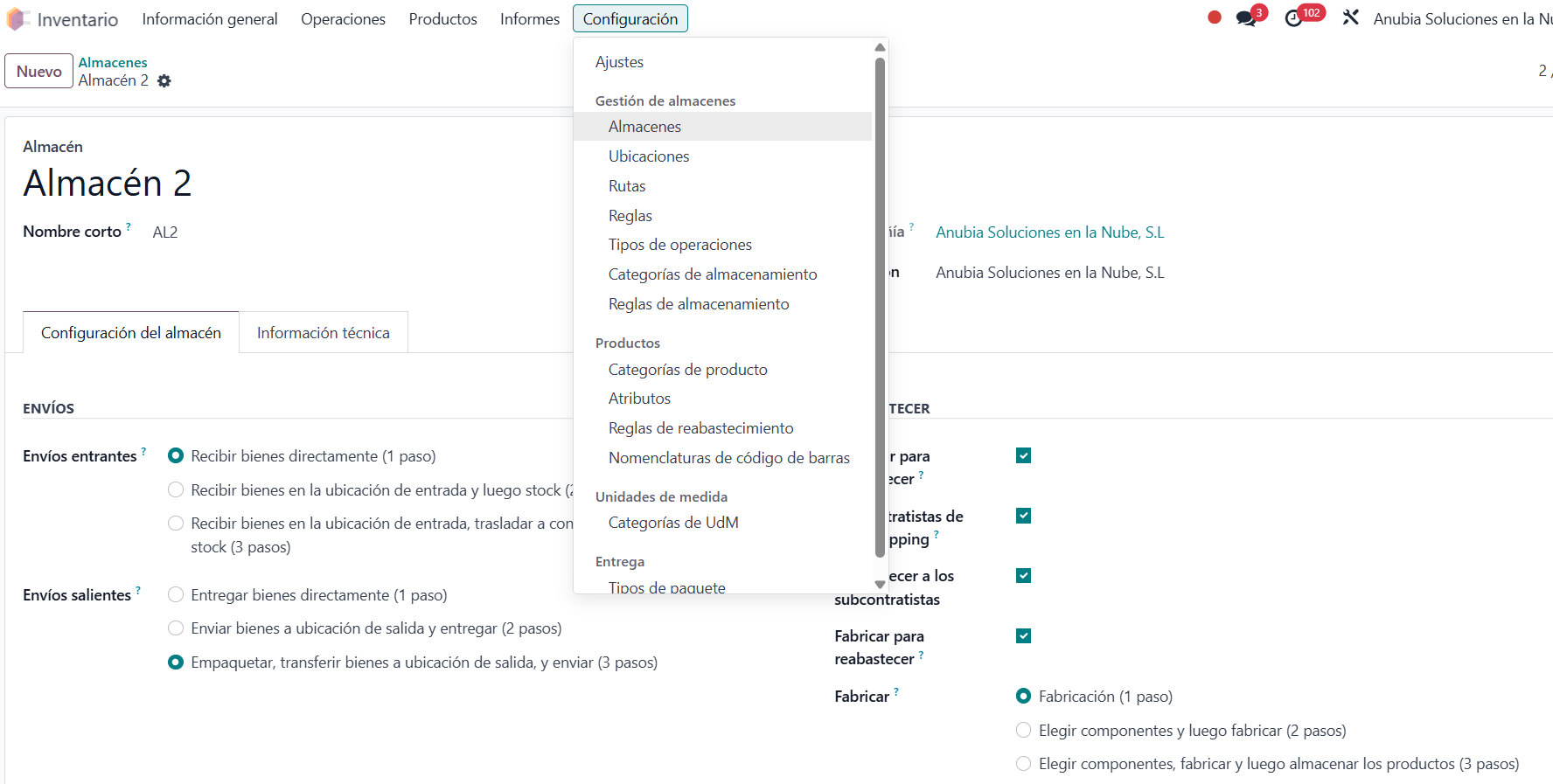
From the Warehouse form, we can configure manufacturing in (1 step), (2 steps) or (3 steps).
When selecting Pick components, manufacture and then store products (3 steps), Odoo automatically creates Inventory Operation Types:
- Pick Components.
- Manufacture
- Store Finished Product.
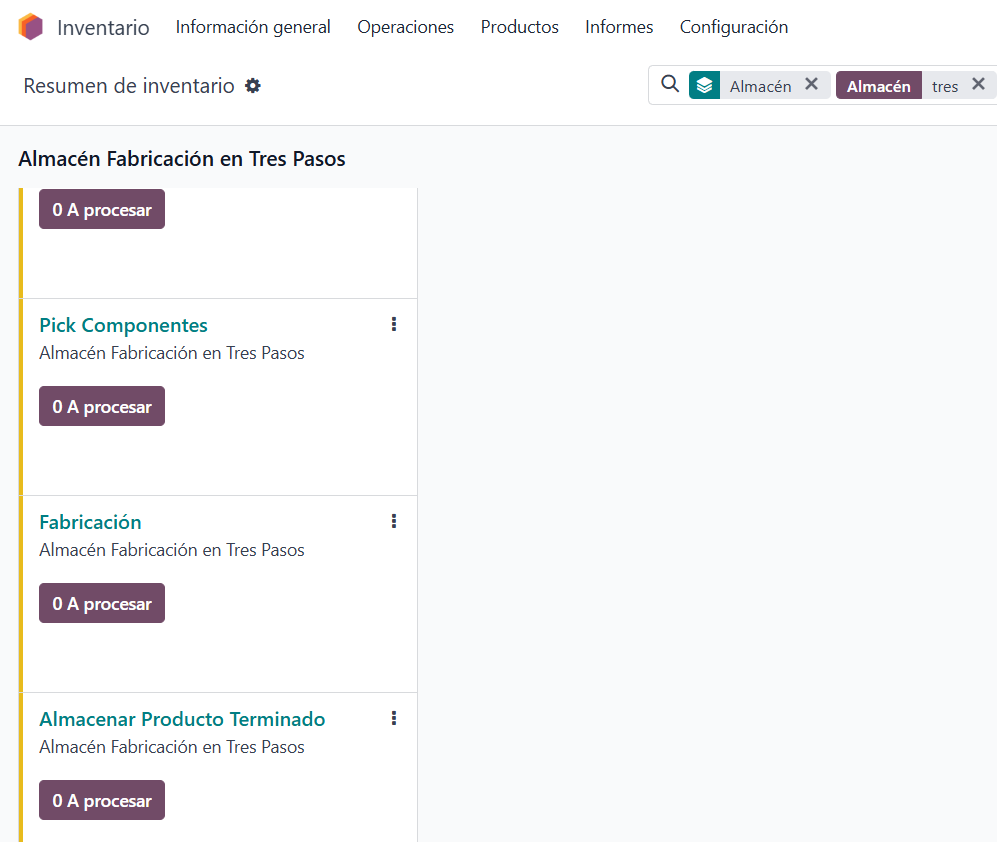
Odoo also creates an Inventory Route:
- Pick components, manufacture and then store products (3 steps)
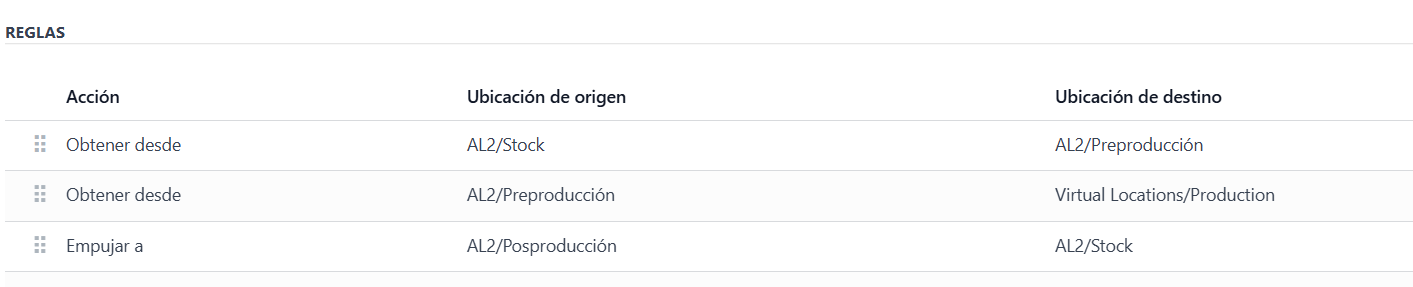
This Route has Inventory Rules that determine the logistics moves to be carried out and which warehouse locations will be involved.
- Stock --> Pre-Production: This is the inventory move linked to the pick components operation type.
- Pre-Production --> Production: This is the inventory move linked to the manufacture operation type.
- Post-Production --> Stock: This is the inventory move linked to the store finished product operation type.
Once this configuration is done, before manufacturing it is important to link this manufacturing Route to the Bills of Materials in the Routing field.
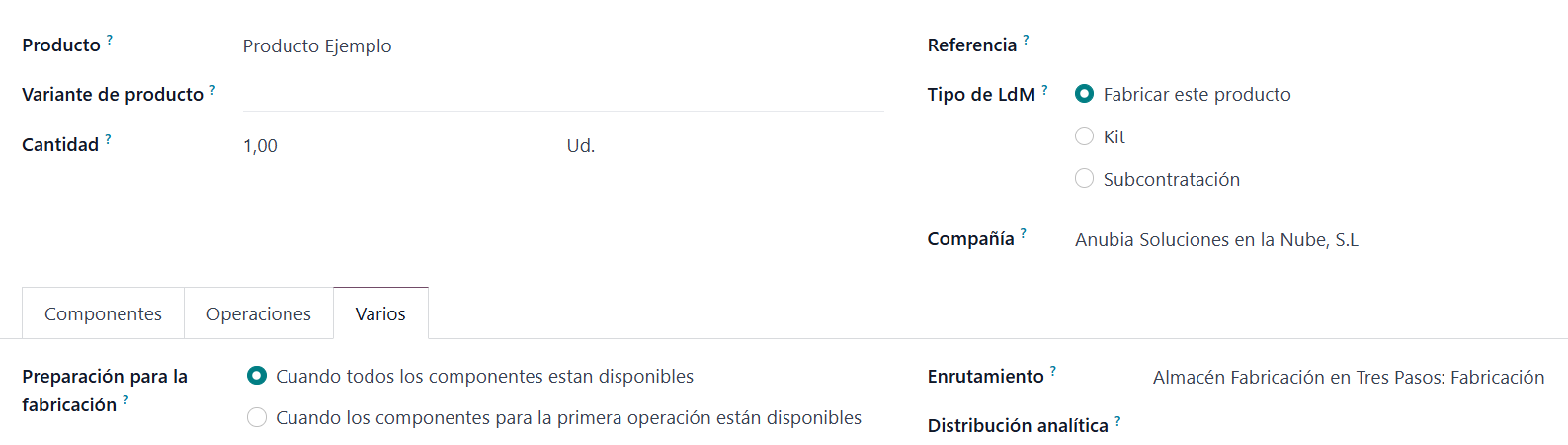
This way, when creating a Manufacturing Order, the Components Location and Finished Products Location fields will be filled in automatically and correctly, linked to the Pre-Production and Post-Production inventory locations.
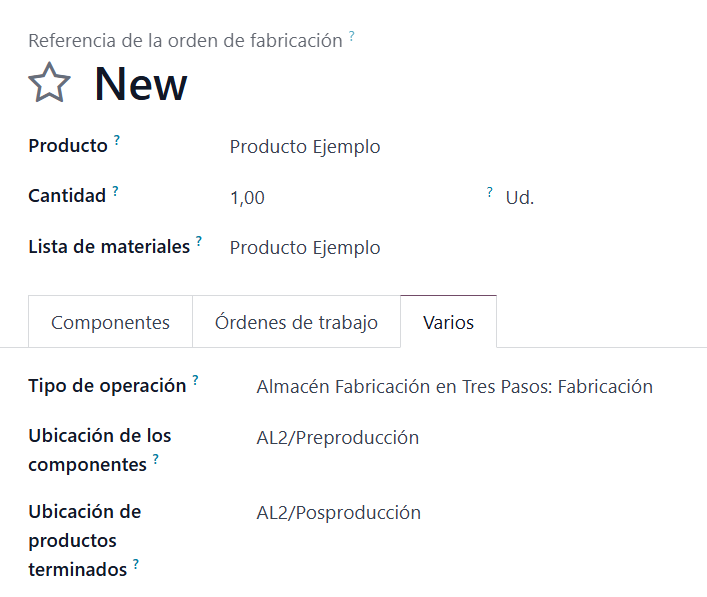
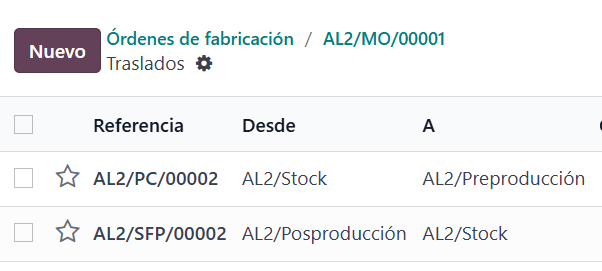
When a Manufacturing Order is created, two Transfers are created automatically:
- Stock --> Pre-Production: Brings the components needed to execute the manufacturing order.
- Post-Production --> Stock: Moves the manufactured products to the finished products locations.
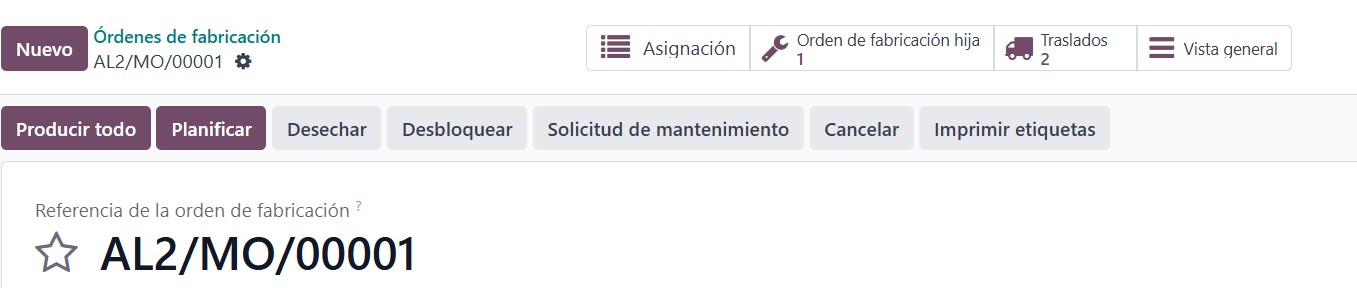
The Manufacturing Order is completed as usual by moving it to the Done state.
Keep learning about Odoo
- How to create manufacturing orders in Odoo
- Manufacturing orders and work orders in Odoo
- Bills of Materials and operations in Odoo
- Odoo Manufacturing y Odoo Inventory and Warehouse
Want to implement Odoo Manufacturing in your company? At Anubía we help you configure it according to your processes. Contact us.