Bills of Materials and Operations for Manufacturing in Odoo
Odoo lets us create Bills of Materials or Bills of Materials with Operations.
In this specific case, we will first create a Bill of Materials and then turn it into a Bill of Materials with Operations to manufacture a product in-house. This bill of materials with operations will be the essential tool for creating and executing a manufacturing order and its Work Orders.
A bill of materials with operations in Odoo can be created from the product form itself or from the path: Manufacturing → Products → Bills of Materials → Create.
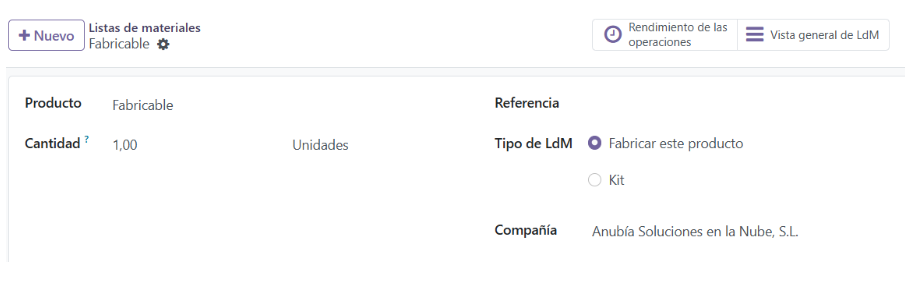
Bill of Materials Form in Odoo:
- Product: In this case, the item we are going to manufacture. It can be a finished or intermediate product.
- Quantity: Amount and unit of measure to which this bill of materials applies.
- Reference: Name and/or code of the bill of materials.
- BoM Type: In this case we will select Manufacture this product.
Bill of Materials Form Tabs in Odoo:
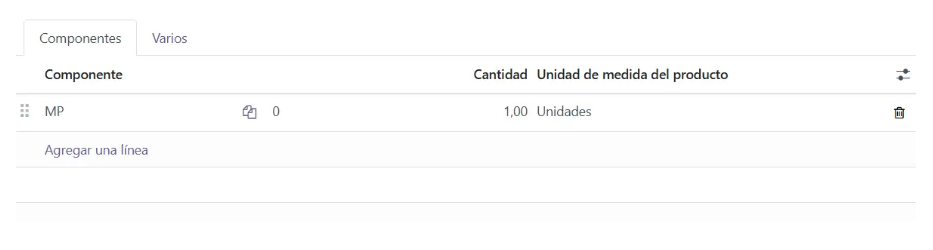
- Components: In this tab we enter the components of this bill of materials. They can be storable products, consumables or even services. To add a component, click Add a line.
- Component: Product that will be consumed in the manufacturing order.
- Quantity: Amount needed to manufacture this bill of materials.
- Product Unit of Measure: The unit of measure of the component. As a rule, it comes from the product form.
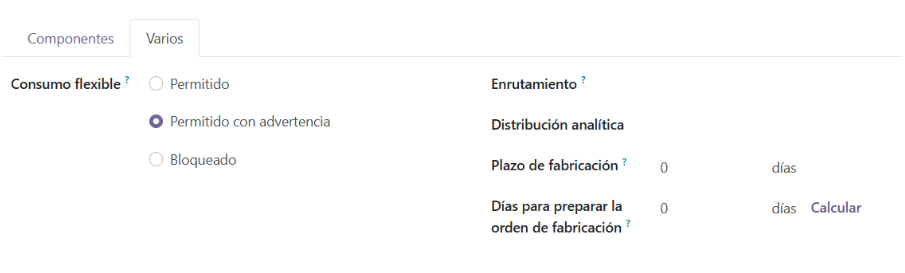
- Miscellaneous:
- Flexible Consumption: Lets you configure how material consumption will behave in the manufacturing order.
- In a strict way (Blocked). That is, component consumption is always what is stipulated in the bill of materials.
- Or in a flexible way (Allowed or Allowed with warning), so that the quantities of components consumed in the manufacturing order can be edited and differ from the theoretical ones in the bill of materials.
- Routing: Lets you define logistics routes to set warehouse and replenishment rules.
- Analytic Distribution: Lets you configure the analytic accounts to which subsequent manufacturing orders for this bill of materials' product will be allocated.
- Manufacturing Lead Time: The usual time spent manufacturing this bill of materials' product once the manufacturing order is confirmed.
- Days to prepare Manufacturing Order: Lead time for creating and confirming manufacturing orders in advance, so there is enough time to replenish components, whether purchased or manufactured in-house.
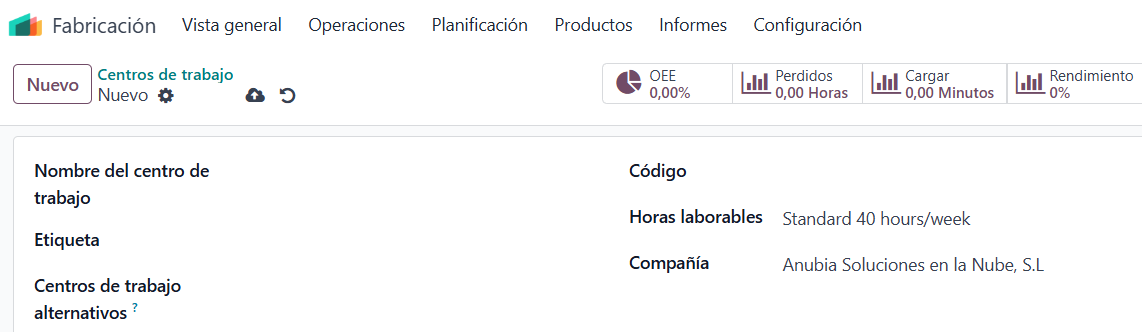
Work Centers and Operations:
Once our Bill of Materials is created, we are going to create our Work Centers or Production Centers (the name varies depending on the Odoo version) and Operations, so we can link them to the bill of materials and turn it into a Bill of Materials with Operations.
To link Operations to a bill of materials, we must first create Work Centers and Operations. Here we will see how to create them in a simple, summarized way.
- To create a Work Center follow the path: Manufacturing → Configuration → Work Centers → New. In this case we will only fill in the field Work Center Name and Save.

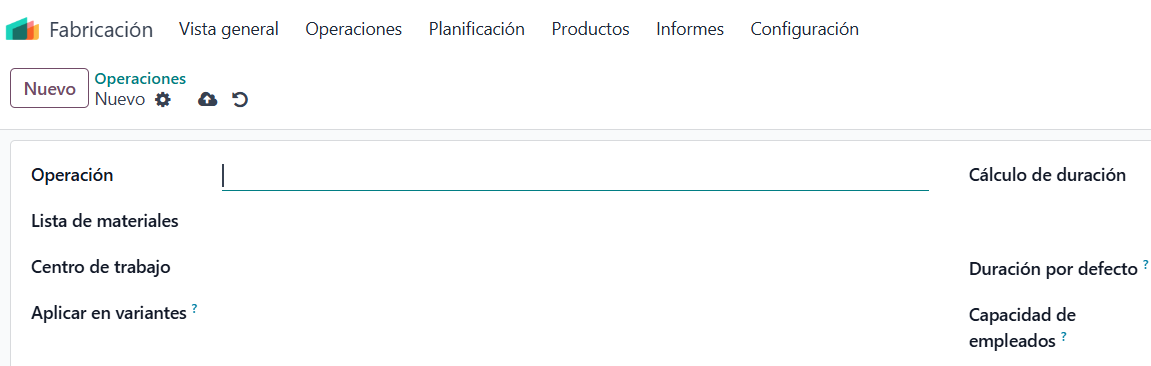
- To create an Operation follow the path: Manufacturing → Configuration → Operations → New. We will fill in the following information:
- Operation: Identifying name of the operation.
- Bill of Materials: Selection field where we indicate the bill of materials related to this operation.
- Work Center: Selection field where we indicate the production center where this operation is performed.
Once the Bill of Materials, Production Centers and Operations have been created, we will establish the link between them and create a Bill of Materials with Operations.
To do this, we select the bill of materials we want. The Operations tab will already show the operations linked to this bill of materials, since when we created the operation we specified its related bill of materials.
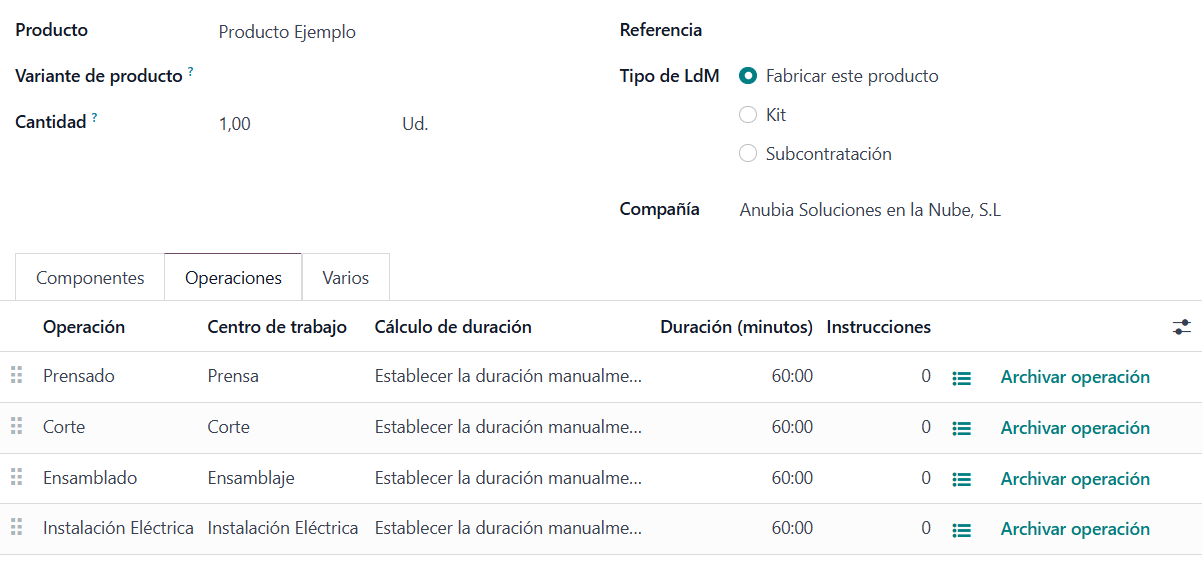
*NOTE: You can create the Operation directly from the bill of materials, from the Operations tab, and the link between operation and bill of materials is then established automatically. Doing it this way is faster. In this post we first show it from the operations master table to better understand the relationship between the different tables.
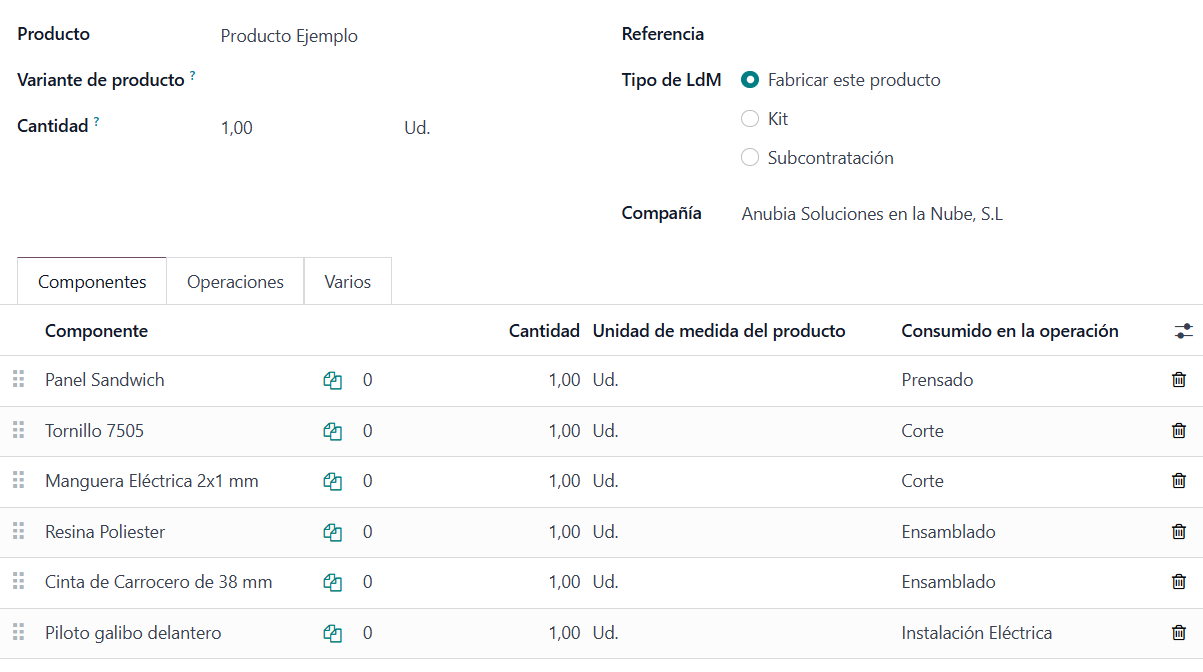
Once the operations are in the bill of materials, to establish the final link, within the bill of materials' Components tab we have the Consumed in Operation field, which lets us select the specific operation in which each component of the bill of materials is consumed. This way we finally get a Bill of Materials with Operations.
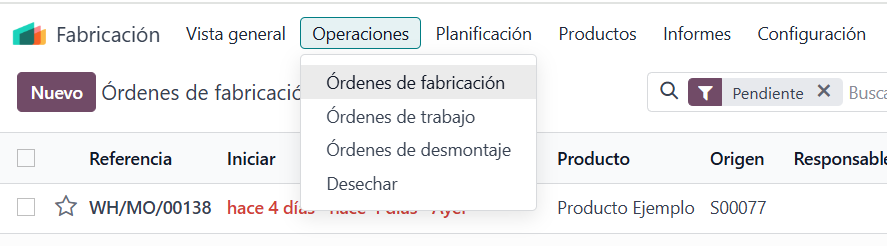
Once our bill of materials with operations is created, it is now possible to manufacture this product in Odoo. To do so, we follow the path: Manufacturing → Operations → Manufacturing Orders → New and select the Product, Quantity to manufacture and Bill of Materials.
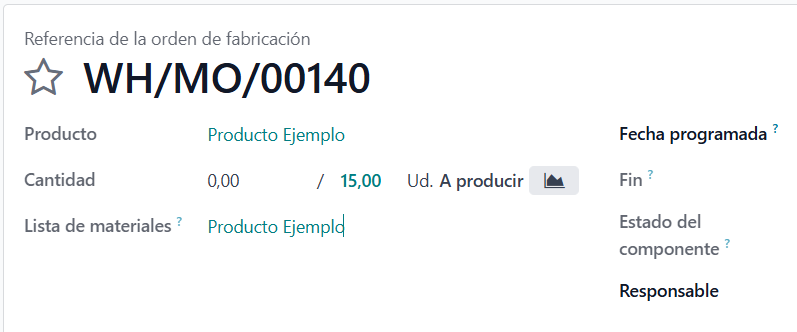
In future blog posts, we will explain the process of creating and executing a production or manufacturing order with operations in Odoo, since a new concept appears, the Work Order, and executing the production order differs slightly from that of a manufacturing order without operations.
Keep learning about Odoo
- Bills of Materials for manufacturing in Odoo
- Manufacturing orders and work orders in Odoo
- How to create manufacturing orders in Odoo
- Odoo Manufacturing
Want to implement Odoo Manufacturing in your company? At Anubía we help you configure it according to your processes. Contact us.