Bills of Materials for Manufacturing in Odoo
In this post, we will focus on a specific type of bill of materials, the Manufacture this product type, which is the type of bill of materials that allows us to manufacture a product in-house. This bill of materials will be the essential tool for creating and executing a manufacturing order.
A bill of materials in Odoo can be created from the product form itself or from the path: Manufacturing → Products → Bills of Materials → New.
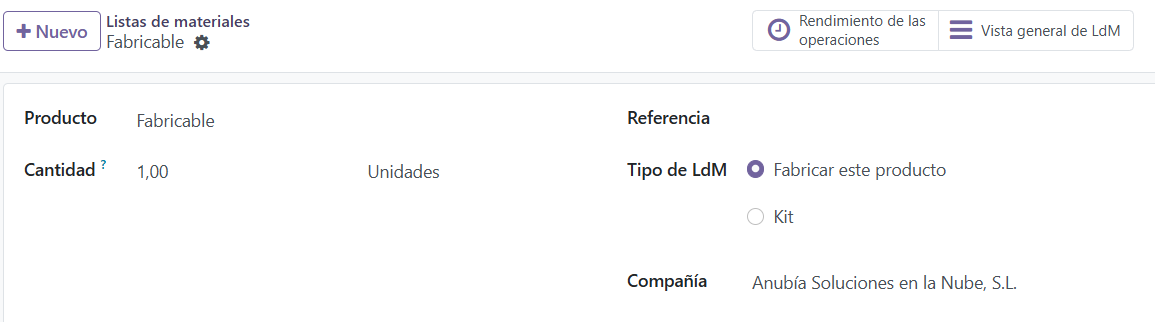
Bill of Materials form in Odoo:
- Product: In this case, the item we are going to manufacture. It can be a finished or semi-finished product.
- Quantity: Amount and unit of measure to which this bill of materials applies.
- Reference: Name and/or code of the bill of materials.
- BoM Type: In this case we will select Manufacture this product.
Bill of Materials form tabs in Odoo:
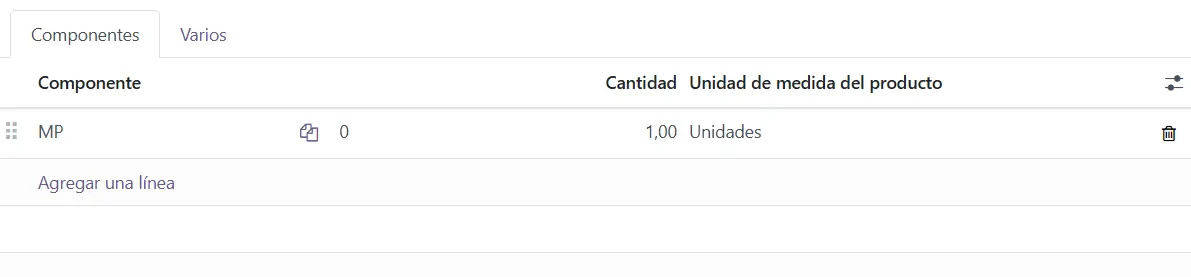
- Components: In this tab we list the components of this bill of materials. They can be storable products, consumables or even services. To add a component, click Add a line.
- Component: Product that will be consumed in the manufacturing order.
- Quantity: Amount of the component needed to manufacture this bill of materials.
- Product Unit of Measure: The unit of measure of the component. As a rule, it comes from the product form.
-
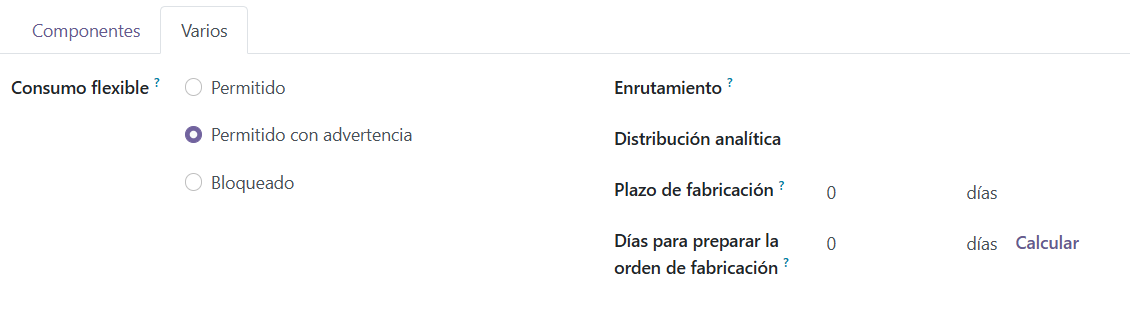
Miscellaneous:
- Flexible Consumption: Lets us configure how material consumption will behave in the manufacturing order.
- In a strict way (Blocked). That is, component consumption is always as stipulated in the bill of materials.
- Or in a flexible way (Allowed or Allowed with warning), so that the quantities of components consumed in the manufacturing order can be edited and differ from the theoretical quantities in the bill of materials.
- Routing: Lets you define logistics routes to set warehouse and replenishment rules.
- Analytic Distribution: Lets you configure the analytic accounts to which subsequent manufacturing orders for the product of this bill of materials will be charged.
- Manufacturing Lead Time: Usual time needed to manufacture the product of this bill of materials once the manufacturing order is confirmed.
- Days to prepare Manufacturing Order: Lead time for creating and confirming manufacturing orders in advance so as to have enough time to replenish components, whether purchased or manufactured in-house.
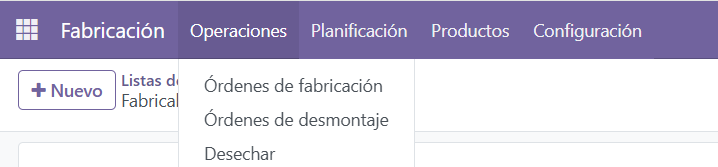
Once our bill of materials has been created, we can now manufacture this product in Odoo. To do so, follow the path: Manufacturing → Operations → Manufacturing Orders → New and select the Product, the Quantity to manufacture and the Bill of Materials.
Keep learning about Odoo
- Types of bills of materials in Odoo
- Bills of Materials and operations in Odoo
- How to create manufacturing orders in Odoo
- Odoo Manufacturing
Want to implement Odoo Manufacturing in your company? At Anubía we help you configure it according to your processes. Contact us.